
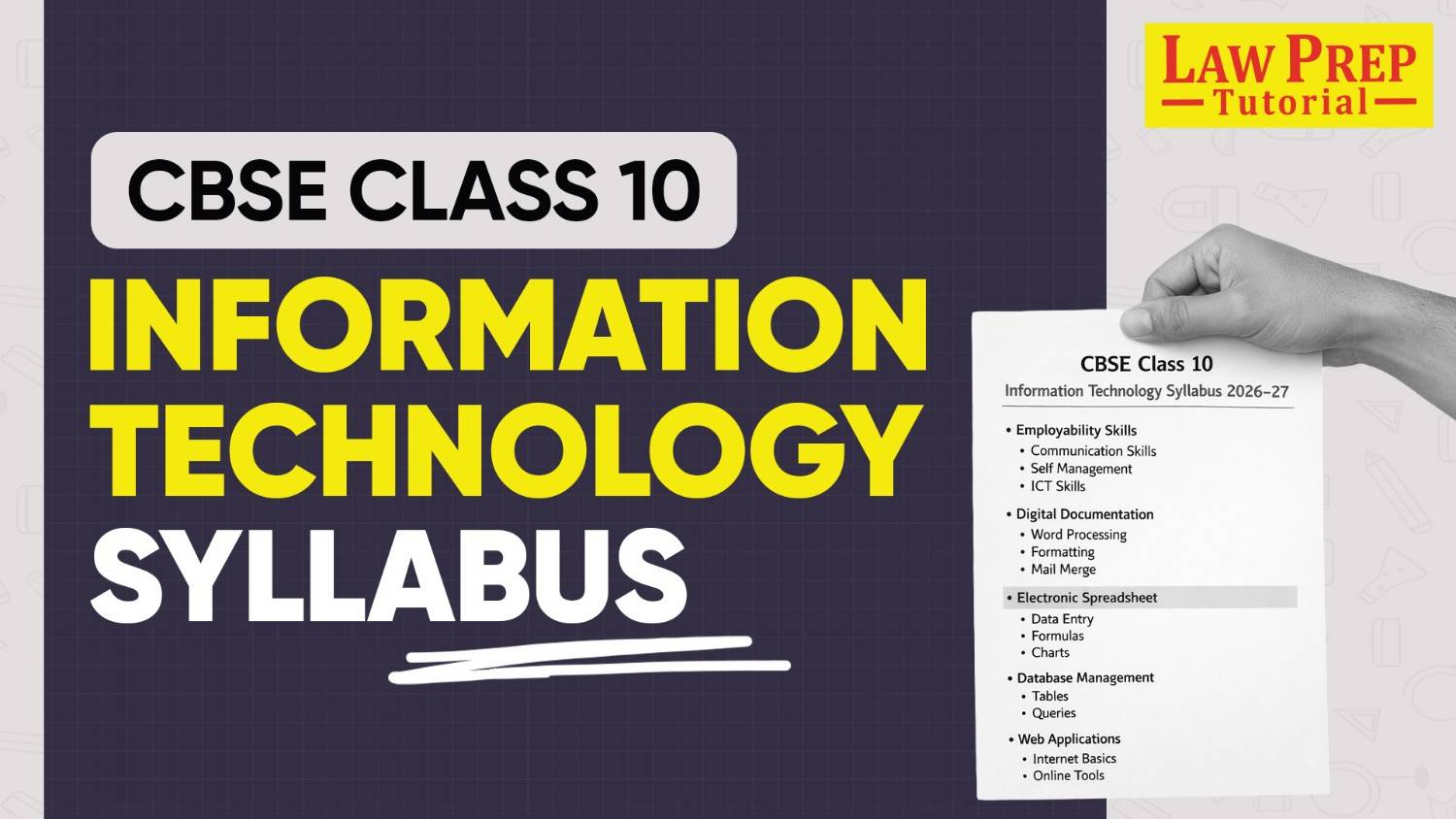

CBSE Class Information Technology syllabus introduces you to practical digital skills that connect classroom learning with everyday use. As you prepare for the CBSE Board Exam, it is equally important to understand the complete CBSE Board Class 10 syllabus so you can plan your preparation in a structured and focused way. The course helps you see how technology supports communication, organisation, and problem-solving in real life, starting from basic tools and moving towards advanced applications.
As you progress, you learn how to create professional documents, manage data using spreadsheets, and organise information through databases. Each concept includes hands-on practice, so learning stays clear and useful. Along with technical skills, the syllabus also strengthens communication abilities such as speaking, listening, and presenting ideas, while guiding you to manage time, set goals, and handle academic pressure effectively for the CBSE Class 10 exam.
The syllabus also builds awareness about safe and ethical use of technology, which plays an important role in today’s digital world. You learn workplace safety practices, understand basic health and emergency measures, and develop responsible digital habits. At the same time, exposure to critical thinking, innovation, and sustainability prepares you to approach the CBSE Board Exam and real-world challenges with confidence.
CBSE Class 10 Information Technology Chapter-Wise Marks Distribution
The CBSE Class 10 Information Technology syllabus (Subject Code-402) is designed to give you a balanced mix of theoretical knowledge and practical skills. Each part of the syllabus focuses on a specific area, starting from employability skills and moving towards advanced digital tools and real-world project work.
To clarify, refer to the table below, which shows the section-wise weightage in a structured format.
| Part | Unit Number | Topics for CBSE Class 10 Information Technology | Theory Hours | Practical Hours | Marks |
| Part A(Employability Skills) | Unit 1 | Communication Skills-II | 10 | — | 2 |
| Unit 2 | Self-Management Skills-II | 10 | — | 3 | |
| Unit 3 | ICT Skills-II | 10 | — | 1 | |
| Unit 4 | Entrepreneurial Skills-II | 15 | — | 3 | |
| Unit 5 | Green Skills-II | 5 | — | 1 | |
| Total Part A | 50 | — | 10 | ||
| Part B (Subject Specific Skills) | Unit 1 | Digital Documentation (Advanced) using LibreOffice Writer | 12 | 18 | 8 |
| Unit 2 | Electronic Spreadsheet (Advanced) using LibreOffice Calc | 15 | 23 | 10 | |
| Unit 3 | Database Management System using LibreOffice Base | 18 | 27 | 12 | |
| Unit 4 | Maintain Healthy, Safe and Secure Working Environment | 15 | 22 | 10 | |
| Total Part B | 60 | 90 | 40 | ||
| Part C(Practical Work) | Practical Examination | Writer (Advanced) | — | — | 5 |
| Calc (Advanced) | — | — | 5 | ||
| Base (Database) | — | — | 10 | ||
| Viva Voce | — | — | 10 | ||
| Total Part C | — | — | 30 | ||
| Part D | Project Work / Field Visit | Case Study using Base & Writer | — | — | 10 |
| Portfolio / Practical File | Writer, Calc, Base (Minimum 5 each) | — | — | 10 | |
| Total Part D | — | — | 20 | ||
| Overall | Theory + Practical | 200 Hours | — | 100 Marks |
Must Checkout CBSE 10th Result 2026
CBSE Class 10 Information Technology Syllabus PDF
If you are looking for the official syllabus PDF, you can directly access the latest document released by CBSE. The syllabus PDF gives you the complete course structure, units, marks distribution, and detailed topics in one place, so you can plan your preparation accurately.
CBSE Class 10th IT Chapter-wise Syllabus 2026-27
The Class 10 Information Technology syllabus builds practical digital and workplace skills based on the Domestic Data Entry Operator role. It includes tools like LibreOffice Writer, Calc, and Base, along with communication, time management, and problem-solving skills.
The 2-hour theory exam covers Part A and Part B, while practical skills are equally important. Preparation should begin with Part A fundamentals, followed by step-by-step learning of tools in Part B and regular practice for Part C. Project work in Part D strengthens real-life understanding.
The syllabus is divided into four units, making learning structured, practical, and easy to follow.
Unit 1: Digital Documentation (Advanced) – LibreOffice Writer
The Digital Documentation unit focuses on advanced features of LibreOffice Writer, helping you create well-structured and professionally formatted documents. You learn how to use styles for consistency, work with images effectively, and apply advanced tools such as templates and track changes. These concepts improve both document presentation and editing efficiency.
| Unit | Chapters | Important Areas Covered |
| Unit 1: Digital Documentation (Advanced) – LibreOffice Writer | Chapter 1: Introduction to Styles | Styles and categories in Writer, Styles and Formatting, Fill Format, creating and updating styles, applying styles |
| Chapter 2: Working with Images | Inserting images, modifying images, working with drawing objects, positioning images (alignment, wrapping) | |
| Chapter 3: Advanced Features of Writer | Table of Contents, templates, track changes, comments, document comparison |
Unit 2: Electronic Spreadsheet (Advanced) – LibreOffice Calc
Electronic Spreadsheet unit focuses on advanced spreadsheet tools in LibreOffice Calc, enabling you to analyse data, automate tasks, and manage spreadsheets efficiently. You learn how to use features like scenarios and goal seek for data analysis, work with macros to automate repetitive tasks, and link data across multiple sheets. The unit also covers collaboration tools such as sharing, reviewing, and tracking changes, which are essential for real-world applications.
| Unit | Chapters | Important Areas Covered |
| Unit 2: Electronic Spreadsheet (Advanced) – LibreOffice Calc | Chapter 4: Analyse Data using Scenarios and Goal Seek | Consolidation, subtotals, what-if analysis, scenarios, goal seek |
| Chapter 5: Using Macros in Spreadsheet | Recording macros, running macros, creating simple macros | |
| Chapter 6: Linking Spreadsheet Data | Working with multiple sheets, references, hyperlinks, linking external data | |
| Chapter 7: Share and Review a Spreadsheet | Sharing files, tracking changes, adding comments, reviewing and merging data |
Unit 3: Database Management System – LibreOffice Base
Database Management System unit introduces you to the fundamentals of database management and the practical use of LibreOffice Base. You learn how data is organised, stored, and managed efficiently using tables, queries, forms, and reports. The unit also builds your understanding of relationships between tables and how to retrieve and present data in a structured way. These concepts are essential for handling real-world data and developing basic database applications.
| Unit | Chapters | Important Areas Covered |
| Unit 3: Database Management System – LibreOffice Base | Chapter 8: Introduction to DBMS | Data vs information, DBMS concepts, data models, relational database concepts (RDBMS) |
| Chapter 9: Starting with LibreOffice Base | Data types, creating tables, primary key, data entry, sorting records | |
| Chapter 10: Working with Multiple Tables | Table relationships, referential integrity, managing multiple tables | |
| Chapter 11: Queries in Base | Creating queries, editing queries, retrieving and working with data | |
| Chapter 12: Forms and Reports | Creating forms, using controls, generating reports, formatting data |
Unit 4: Maintain Healthy, Safe and Secure Working Environment
Maintain Healthy, Safe and Secure Working Environment unit focuses on building awareness about workplace safety, health standards, and responsible working practices. You learn how to identify potential hazards, follow safety procedures, and maintain a healthy work environment. The unit also prepares you to handle emergencies effectively and adopt safe habits that are essential in real-world work settings.
| Unit | Chapters | Important Areas Covered |
| Unit 4: Maintain Healthy, Safe and Secure Working Environment | Chapter 13: Workplace Safety & Health | Safety policies, workplace hazards, identifying risks and preventive measures |
| Chapter 14: Workplace Quality Measures | Cleanliness standards, ergonomics, common health issues, safety practices | |
| Chapter 15: Prevent Accidents and Emergencies | Accident handling, emergency response, fire safety, electrical safety measures |
Preparing for IPMAT? Learn from the experts with leading Online IPMAT Coaching in India.
Class 10 CBSE IT Syllabus 2026-27: Deleted and Added Topics
The Class 10 CBSE Information Technology syllabus saw a key update in the 2024–25 session, where the web technologies unit was removed and replaced with workplace safety. This shift reflects a stronger focus on practical, job-oriented skills. Earlier, you studied HTML, web browsers, cybersecurity, and internet concepts.
Now, the focus is on workplace rules, safety procedures, hazard awareness, ergonomics, first aid, and secure work practices. The updated unit prepares you for real work environments rather than basic web development.
For 2026-27, the syllabus is expected to remain stable, with only minor changes unless officially announced by the Central Board of Secondary Education.
| Deleted Unit 4 (Old) | New Unit 4 (Current) |
| Web development and internet concepts | Workplace safety and real-world work environment |
| Basic understanding of websites and online tools | Preparing you for safe and professional working conditions |
| Working with web browsers | Workplace rules and safety procedures |
| Creating web pages using HTML | Types of hazards (electrical, fire, ergonomic, stress) |
| HTML tags, hyperlinks, images, and tables | Safety practices and preventive measures |
| Cyber security basics and cyber crimes | Proper sitting posture and workstation setup |
| Online safety and protection from threats | First aid basics and emergency handling |
| IT applications in different fields | Data safety and secure working habits |
| Insights into how websites and internet systems work | Understanding how to work safely and responsibly in real environments |
Minor Updates of CBSE Class 10 Information Technology
Apart from Unit 4, CBSE made small improvements in other units to strengthen practical learning and advanced usage of tools. These updates mainly focus on a deeper understanding rather than adding completely new topics.
| Section of CBSE Class 10 Information Technology | Updates Available for the Units |
| Unit 1: Digital Documentation (Advanced) | – Added focus on using templates – Advanced mail merge with main document and data source – Printing labels using mail merge |
| Unit 2: Electronic Spreadsheet (Advanced) | – Increased focus on macros – Passing values in macros – Accessing cells through macros – Sorting data using macros |
| Unit 3: Database Management System | – No major change in content – Continued focus on LibreOffice Base – Tables, queries, forms, and reports remain important – MySQL or SQL is not included |
| Part A: Employability Skills | – No major change in units – Communication, self-management, ICT, entrepreneurial, and green skills continue |
Check the latest CBSE Class 10th syllabus for all subjects below:
CBSE Board Class 10 Information Technology Practical Syllabus
The Class 10 Information Technology practical syllabus focuses on applying skills using LibreOffice Writer, Calc, and Base. You perform tasks like formatting documents, analysing data, and managing databases, along with a viva to explain your work.
The exam is conducted in the lab for 2-3 hours, with equal importance given to performance and understanding. Key areas include styles, images, tables, scenarios, macros, data linking, queries, forms, and reports. You also complete project work and maintain a practical file. Regular hands-on practice, clear understanding of steps, and consistent revision help you perform confidently in practical exams and viva.
To understand this better, you can refer to the section-wise table below that breaks down marks and topics clearly.
| List of Sections for CBSE Board Class 10 Information Practical Syllabus | Alloted Marks | List of Topics Covered |
| Digital Documentation (LibreOffice Writer) | 5 | – Apply and modify styles (Paragraph, – Character, Page, List, Table, Frame) – Create, update, delete Table of Contents – Insert, resize, crop, position images – Use text wrapping, alignment, anchoring, grouping – Work with drawing objects – Create and apply templates – Use Track Changes and comments – Compare documents – Mail merge (in some cases) |
| Electronic Spreadsheet (LibreOffice Calc) | 5 | – Create subtotals and groups – Perform data consolidation – Use scenarios for analysis – Apply Goal Seek and Solver – Record and run macros – Edit simple macros – Link data across sheets and files – Create hyperlinks – Add comments and review changes |
| Database Management System (LibreOffice Base) | 10 | – Create database and tables (Wizard and Design View) – Set primary key and data types – Enter, edit, sort, filter data – Create relationships (1:1, 1:M, M:M) – Apply referential integrity – Create queries with conditions and calculations – Design forms using controls – Create reports with titles and formatting |
| Viva Voce | 10 | – Questions based on practical tasks – Concepts from Units 1-4 – LibreOffice basics – Workplace safety concepts |
| Project Work / Field Visit | 10 | – Real-life case study – Use Writer for documentation – Use Calc for analysis – Use Base for forms and reports – Submit final report |
| Portfolio / Practical File | 10 | – Maintain record of practical work – Minimum 5 tasks each from Writer, Calc, Base – Include Aim, Steps, Output, Conclusion – Keep file neat and organised |
| Total | 30 + 20 = 50 | Practical + Project combined |
Also checkout CBSE Full Form here!
Class 10 CBSE Information Technology Books
Choosing the right books helps you study in a clear and focused way. A good mix of one main textbook, practice material, and revision sources can improve both understanding and exam performance. The table below brings everything together so you can decide easily.
| Categories of Class 10 CBSE Information Technology Books | Name of Book | Name of Author/Publisher | The Information Book for Class 10 is Best For |
| Main Textbook | Information Technology Class 10 | – Sumita Arora, Publisher: Dhanpat Rai & Co.) | Full syllabus coverage (Part A + Part B) |
| Alternative Textbook | Essentials of Information Technology | – Preeti Arora, Publisher: Sultan Chand & Sons | Theory + Practical learning |
| Alternative Textbook | CBSE Information Technology Class 10 | – Sharad Tiwari, – Deepak Bhargava, – Darshna Rathore Publisher: S. Chand | Complete coverage with visuals |
| Basic Level Book | A Textbook of Information Technology for Class 10 | – Laxmi Publications | Beginners |
| Sample Papers | Arihant i-Succeed IT | Publisher: Arihant | Exam practice |
| Question Bank | Oswaal CBSE Question Bank IT | Publisher: Oswaal | Chapter-wise practice |
| Question Bank | Educart / MTG IT Question Banks | Publisher: Educart / MTG | Competency-based questions |
| Free Official Resource | CBSE Academic Website | Publisher: CBSE | Latest syllabus and reference material |
| Preparation Strategy | Combined Approach | — | Balanced preparation |
Checkout more important resources for the CBSE Exam here:
| CBSE Class 11th Syllabus | CBSE Class 12th Syllabus |
| CBSE Class 11th: All details | CBSE Class 11th Commerce Subjects |
| CBSE Class 11th Hornbill | CBSE Class 11th Commerce Books |
FAQs on CBSE Class 10 Information Technology Syllabus
CBSE Class 10 Information Technology carries 100 marks in total. Theory paper includes 50 marks, which covers Part A and Part B. Practical and project work together include 50 marks, where practical exam carries 30 marks and project with portfolio carries 20 marks. Equal weightage means you need to focus on both written preparation and hands-on practice.
Viva carries 10 marks, which is equal to one major practical section in Class 10 CBSE Information Technology. Teachers ask questions based on your practical file, project work, and concepts from Units 1 to 4. Clear understanding of steps, along with reasons behind each task, helps you answer confidently and score well.
No, official NCERT textbook is available for Information Technology (Code 402).
CBSE allows books from private publishers, and most schools recommend books by Sumita Arora or Preeti Arora. These books follow the latest syllabus and include both theory explanations and practical steps.
All practical tasks are performed using LibreOffice software. You use Writer for documents, Calc for spreadsheets, and Base for databases. CBSE does not allow Microsoft Office, so regular practice on LibreOffice becomes important to avoid mistakes during the exam.
No, CBSE has removed web development topics like HTML, web pages, and cyber security basics from the syllabus. The updated structure in Class 10 CBSE Information Technology focuses more on workplace safety and practical digital tools, so preparation should avoid outdated topics.
Database Management System using LibreOffice Base carries the highest marks, which is 10 marks. The section includes creating tables, queries, forms, and reports. Strong practice in Base helps you score better because the section tests both understanding and application.
Project work in Class 10 CBSE Information Technology includes a real-life case study such as library management, student records, or survey analysis. You collect data, organise information, and present results using LibreOffice Writer, Calc, and Base. The project helps you connect theory with practical application.
The portfolio must include at least 5 practical tasks each from Writer, Calc, and Base. Each task should clearly show aim, steps, output, and conclusion. A well-maintained file helps in internal assessment and also supports you during viva.
Preparation for Class 10 CBSE Information Technology theory should start with one main textbook. You should understand each topic clearly, revise regularly, and solve chapter-wise questions. Practice from sample papers and previous year questions helps you understand the exam pattern and improve accuracy.
Regular practice on LibreOffice tools, clear understanding of concepts, and consistent revision help you score better. Maintain your practical file properly, complete project work on time, and revise important steps before exams. A balanced focus on theory and practical sections improves overall performance.
Check the latest CBSE Class 11 syllabus for all subjects below:
Discover CLAT exam resources that can help you get started early:
Explore CLAT coaching centers across different cities: